-
Web Application Server
What is a Web Application Server? In simple terms, a web server (like Nginx or Apache) is good at giving you static things: an HTML file, an image, a CSS file. It’s like a waiter bringing you a pre-made dish. A web application server does much more. It’s a powerful computer (or software) that: Think of it as the kitchen + chef in…
-
Virtualization Server
What is a Virtualization Server? A virtualization server is a physical computer that runs a special software layer called a hypervisor. The hypervisor carves the server’s physical resources (CPU, RAM, storage, networking) into isolated, independent environments called virtual machines (VMs) . Each VM behaves exactly like a dedicated physical server—it has its own operating system, applications, and users. In a…
-
File Sharing Server and Network Attached Storage (NAS)
A file server is a broad concept for any system dedicated to file sharing, while NAS is a specific, popular type of file server that is an all-in-one appliance Aspect File Sharing Server (General Concept) Network Attached Storage (NAS) Definition A computer or software dedicated to storing and managing files for network users . A specialized, standalone file server that…
-
Small Business Server
A small business server is a powerful computer that sits at the center of a company’s network, acting as a central hub to store data, run applications, and manage services for all other connected computers and users . Think of it as the dedicated, reliable powerhouse that keeps your business’s digital operations running smoothly, as…
-
Managed Switch and Unmanaged Switch

Unmanaged Switches: The “Plug-and-Play” An unmanaged switch is the simplest form of networking. You plug it into power, plug in your devices, and it just works. There is no “brain” to configure. Managed Switches: The “Control Center” A managed switch gives you a “seat at the table.” It has its own operating system and allows…
-
What is a Core Switch
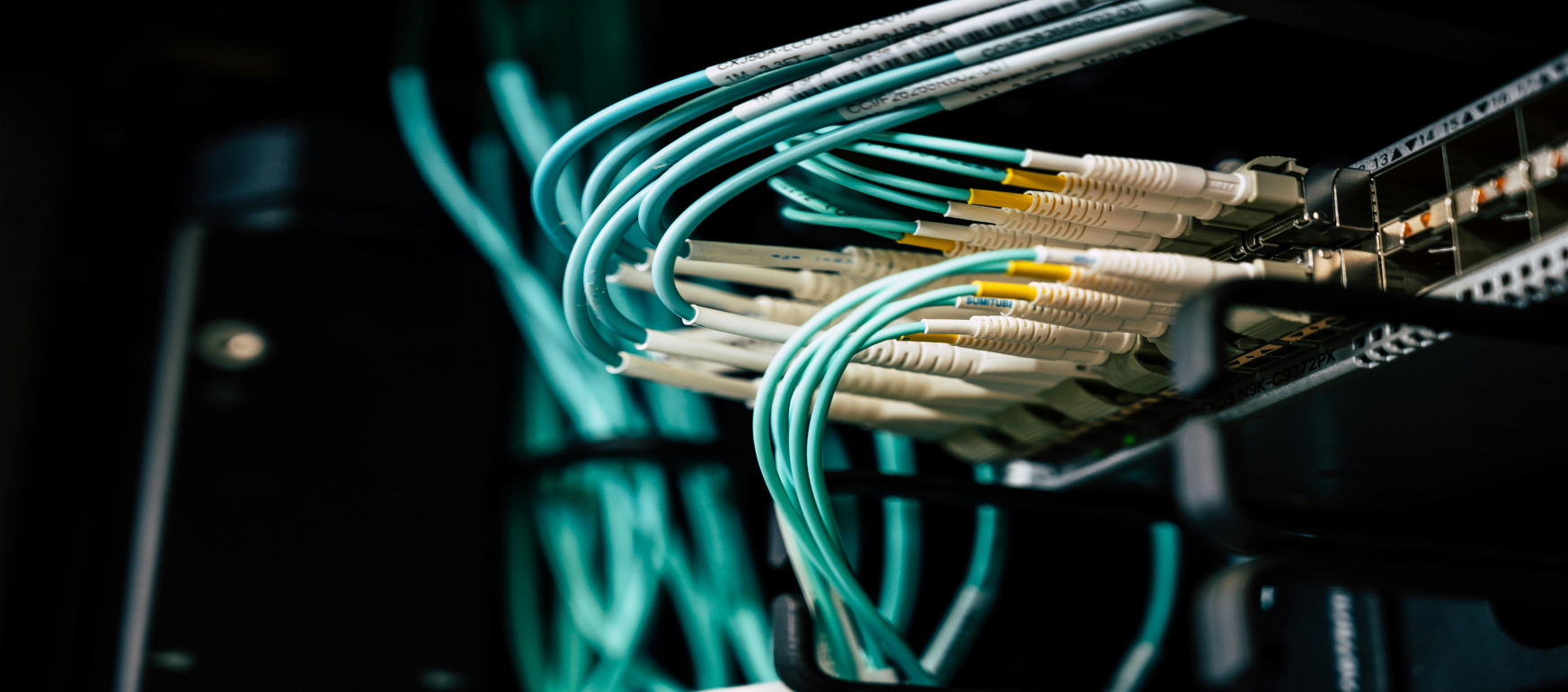
In a small business environment, the Core Switch serves as the high-speed backbone of the entire network. While a large enterprise might have separate layers for Core, Distribution, and Access, small businesses typically use a “Collapsed Core” architecture where the Core switch handles both the heavy lifting of routing and the aggregation of all other…
-
What is the Difference Between a Regular Firewall and Next Generation Firewall

🧱 Regular Firewall vs. Next-Gen Firewall The main difference lies in the OSI Model layers they inspect. A regular firewall usually stops at Layer 4 (Transport), while an NGFW goes all the way up to Layer 7 (Application). Feature Regular (Traditional) Firewall Next-Gen Firewall (NGFW) Packet Filtering Checks Source/Destination IP & Port. Included. Stateful Inspection…
-
Next Generation Firewall (Next-Gen Firewall)

A Next-Generation Firewall (NGFW) is essentially the “Bouncer 2.0” of your network. While a traditional firewall is like a security guard who only checks if your name is on the list (IP address) and what door you’re using (Port), an NGFW is the guard who also pats you down, checks your ID, and listens to…
-
Small Business Network Infrastructure
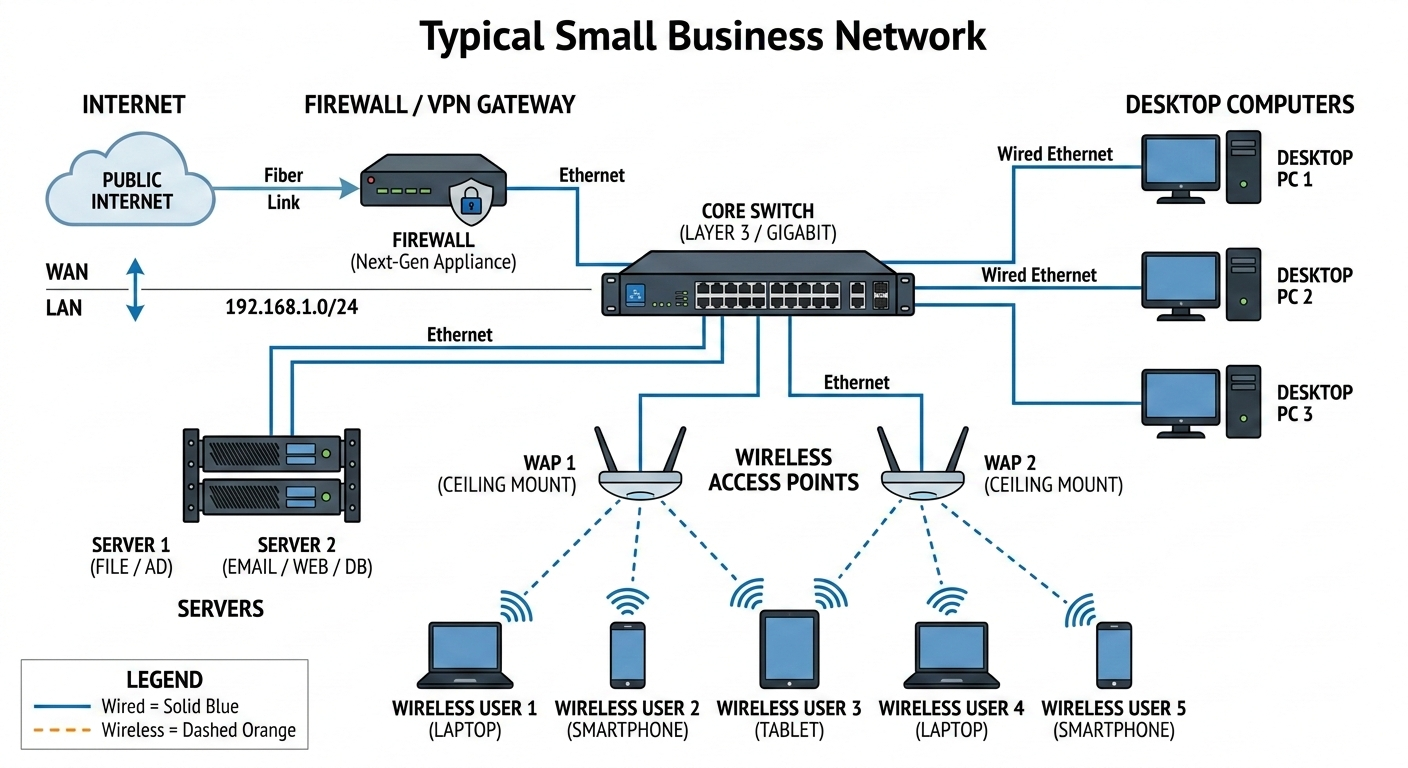
Small business network as a digital ecosystem where every device has a specific job to do to keep the data flowing and the hackers out. Here is the breakdown of how these pieces work together The Firewall: The “Bouncer” The firewall sits at the very edge of your network, right between your internal gear and…
-
Benefits of Hosting Your Own Servers

While cloud computing has become incredibly popular, having a physical or on-premise server in a small business environment offers distinct advantages that cloud services sometimes cannot match. Here are the key benefits of having a server in a small business network: Types of Servers for Small Business When we talk about benefits, it helps to…
-
What is Small Business Network

Small Business Network A small business network is a group of computers, printers, servers, and other devices connected to each other to share resources and information. Unlike a large enterprise network that might require a dedicated IT team and a room full of servers, a small business network is designed to be affordable, easy to manage, and reliable for…
-
Hello World 😉